
Your First Collaborative Project
Build a professional landing page together using Git, GitHub, and Flexbox - real-world collaboration experience
A hands-on collaborative project where teams work together to build a complete landing page using version control and CSS layout techniques.
What You're Building
Today you'll collaborate to build a professional landing page. Each team handles one section.
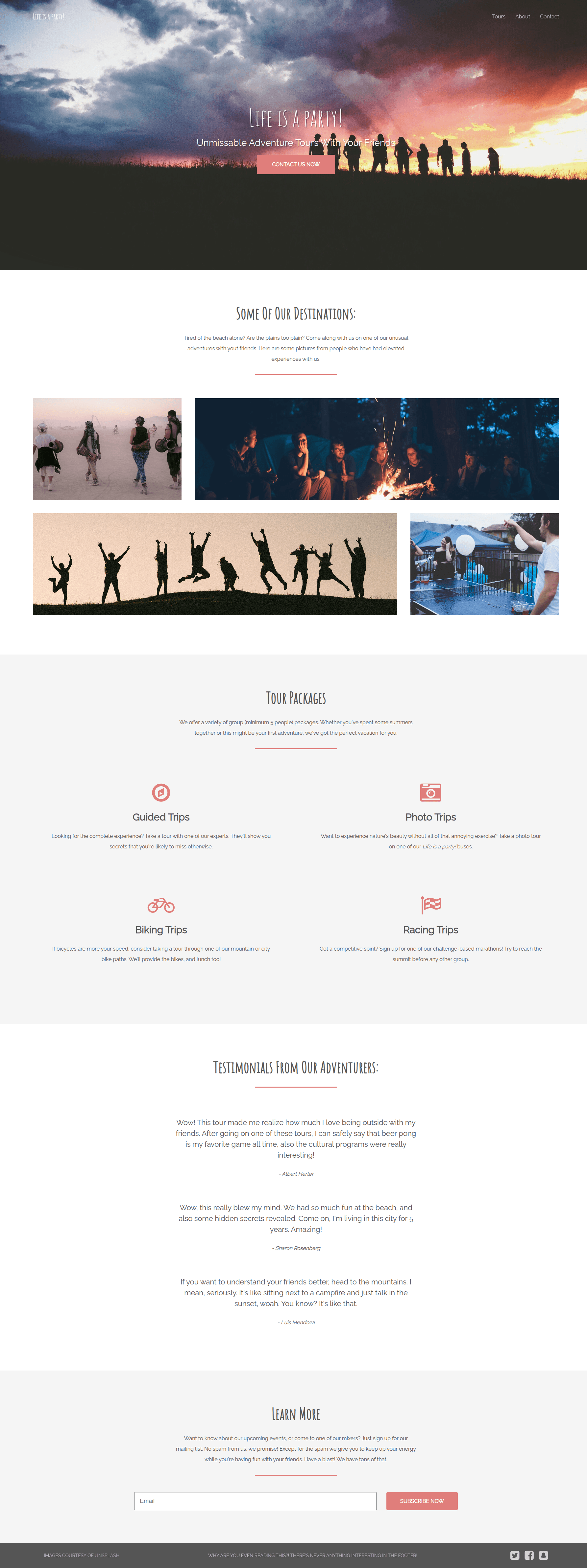
The Sections
Team 1 - Header Navigation

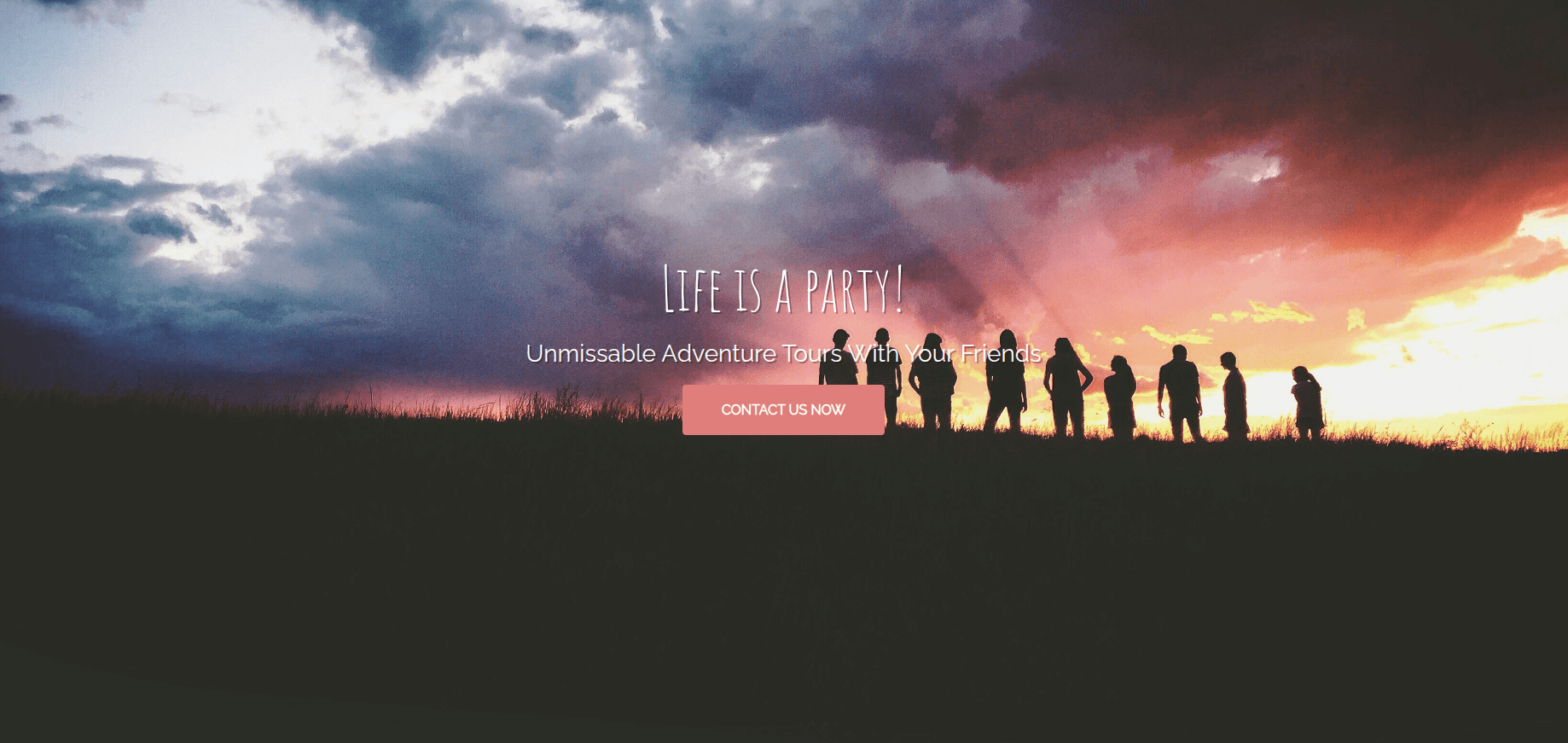
Team 2 - Hero Section
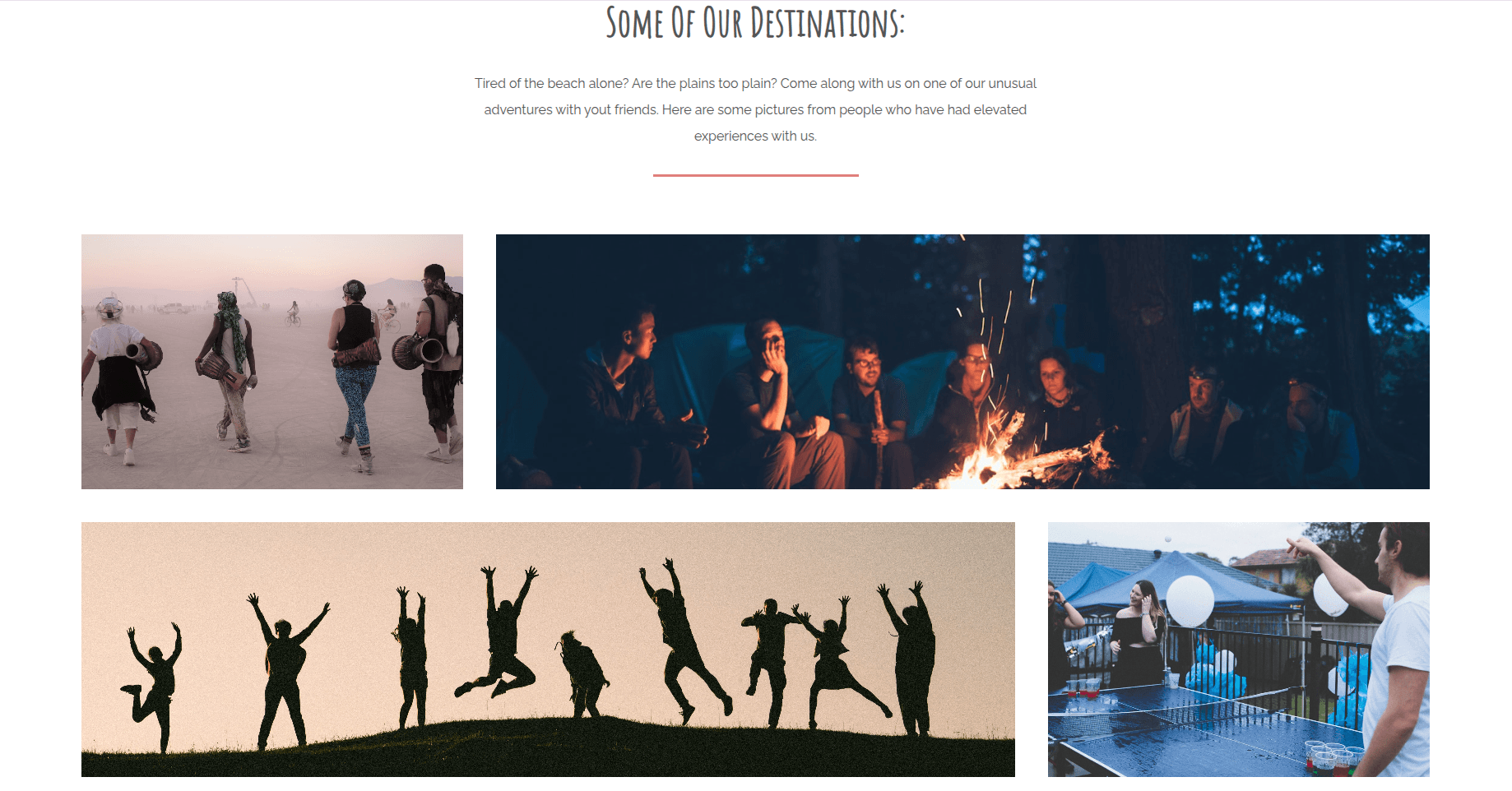
Team 3 - Destinations Gallery
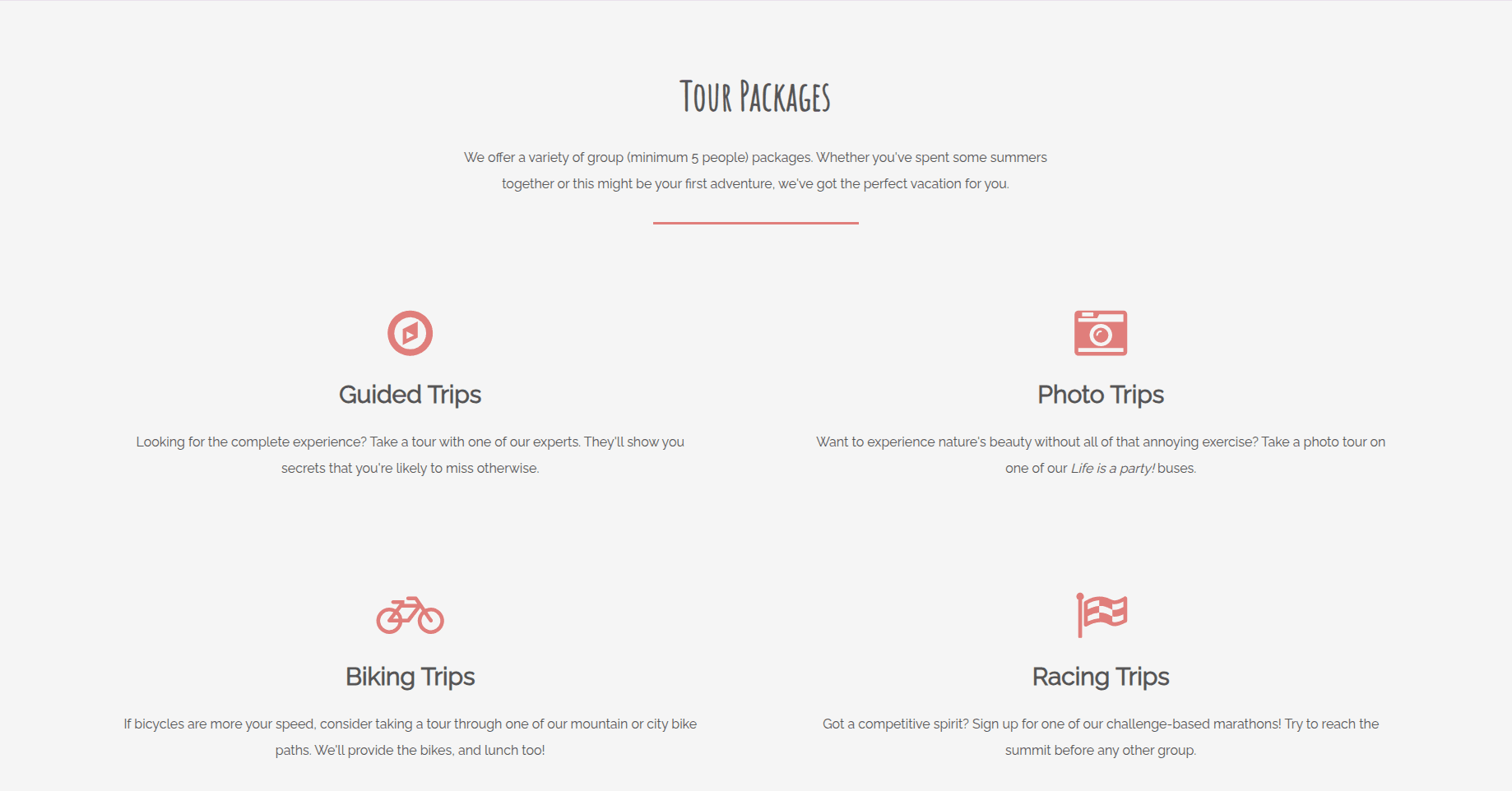
Team 4 - Packages Section
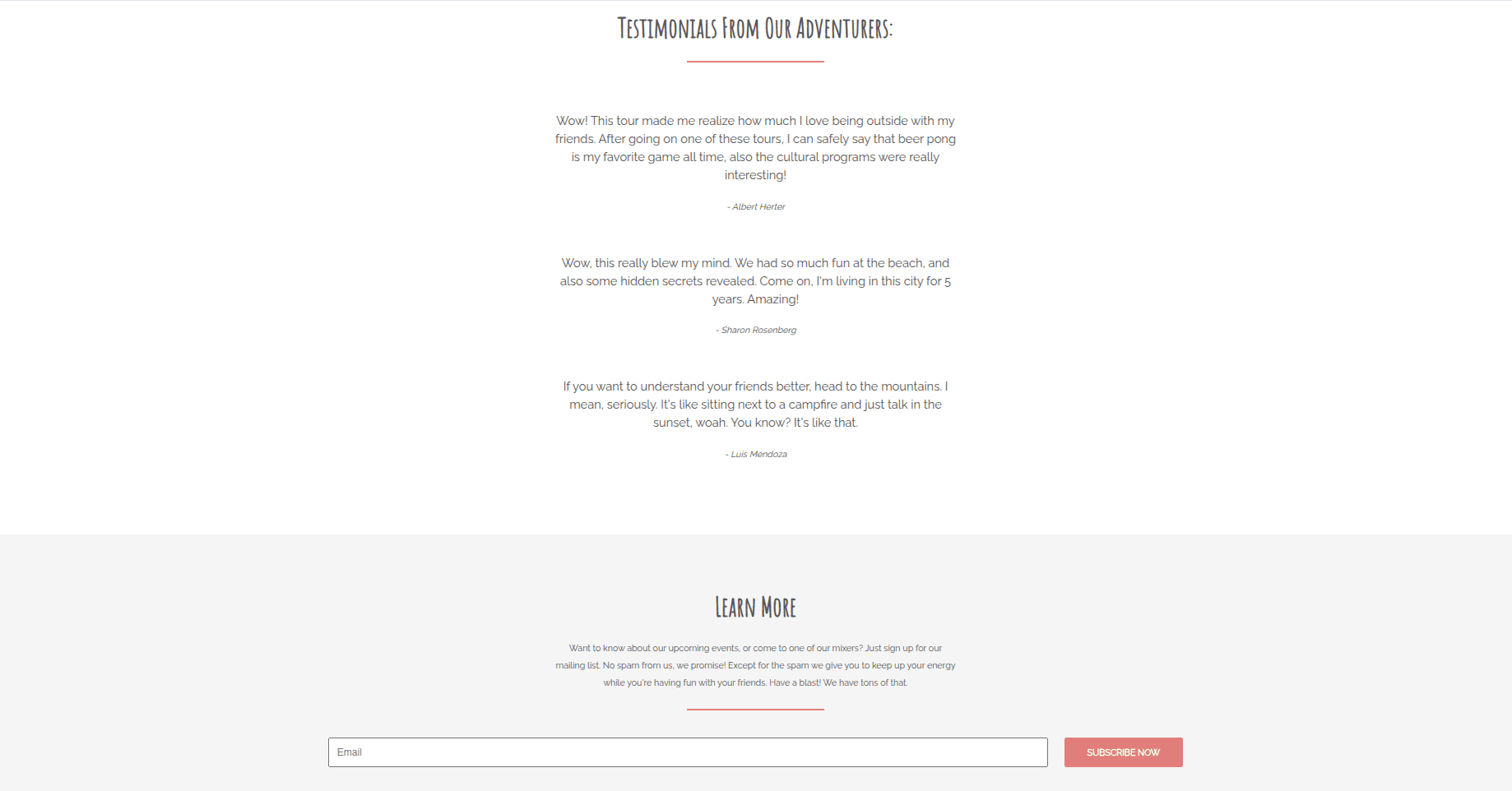
Team 5 - Testimonials & Contact Form
Team 6 - Footer

Each team works independently. At the end, we merge everything together.
Quick CSS Reference
Before you start, here's what you need to know. Don't memorize - just bookmark this!
Flexbox (You learned this today!)
display: flex;- Activate flexboxjustify-content:- Align on main axisalign-items:- Align on cross axisflex-basis:- Set item widthflex: 1;- Make item grow
Box Model & Spacing
Padding = Space inside an element Margin = Space outside an element
padding: 20px; /* All sides */
padding: 20px 40px; /* Vertical Horizontal */
margin: 10px 20px 30px; /* Top Horizontal Bottom */
Negative margins (like margin-right: -15px;) can pull elements closer or create overlaps!
Positioning
position: relative; /* Positioned relative to normal position */
position: absolute; /* Positioned relative to closest positioned parent */
Pro tip: Use position: absolute inside position: relative for overlays!
Overlay = when one element appears on top of another (like the header floating over the hero background).
Typography
font-family: 'Roboto', sans-serif; /* Font name + fallback */
font-size: 24px;
font-weight: 300; /* 100-900, 400=normal, 700=bold */
font-style: italic;
Colors & Units
- Hex colors:
#fff(white),#000(black),#e07e7b(coral) - Units:
px(pixels),%(percentage)
Team Assignments
Team 1 - Header Navigation
Difficulty: Medium-Hard (3/6)
What you're building: Logo + navigation bar that overlays the hero
CSS Focus: Flexbox horizontal layout, positioning
Key concepts: display: flex, justify-content, position: absolute
Challenge: You'll figure out the spacing values yourself - experiment until it looks balanced!
Team 2 - Hero Section
Difficulty: Hard (2/6)
What you're building: Full-screen banner with centered text and background image
CSS Focus: Vertical centering, typography, background images
Key concepts: justify-content: center, background-image, relative paths, font-size
Challenge: Figure out the background image path and experiment with font sizes to make it impactful!
Team 3 - Destinations Gallery
Difficulty: Medium (5/6)
What you're building: Image grid with different sized photos
CSS Focus: Background images, flex-basis for sizing
Key concepts: flex-basis, background-image, relative paths, asymmetric layouts
Challenge: Set up 4 background images and experiment with flex-basis percentages for the layout!
Team 4 - Packages Section
Difficulty: Easy (6/6)
What you're building: Service cards with icons and descriptions
CSS Focus: Card layout, centered content, icon styling
Key concepts: flex-basis, text-align: center, padding, margins
Challenge: The most straightforward section - focus on getting spacing to feel balanced!
Team 5 - Testimonials & Contact Form
Difficulty: Very Hard (1/6)
What you're building: Customer quotes and email subscription form
CSS Focus: Typography, form layout with flexible input
Key concepts: flex: 1, form alignment, growing elements, opacity
Challenge: The trickiest! Make the input field grow while the button stays fixed. Experiment with values!
Team 6 - Footer
Difficulty: Medium-Easy (4/6)
What you're building: Footer with social icons and copyright
CSS Focus: Horizontal distribution, nested flexbox
Key concepts: justify-content: space-around, align-items: center, opacity
Challenge: Learn about opacity (0 to 1) to make text semi-transparent!
How We'll Work Together
1. Clone the starter repo
git clone https://github.com/Alae-J/Session2-Collaborative-Landing-Page.git
cd Session2-Collaborative-Landing-Page
2. Each team creates their branch
git checkout -b team-x-what_you_working_on
3. Work on YOUR section only
- Open
assets/css/styles.css - Find your team's section (marked with comments)
- Uncomment properties and fill in values (TIP: Select lines and press CTRL + /)
- Don't touch other teams' sections!
4. Test locally
- Open
index.htmlin your browser - Other teams are working on their parts
5. Commit & push
git add .
git commit -m "your message"
git push -u origin team-x-what_you_working_on
The -u flag sets up tracking for your branch. After the first push, you can use just git push.
6. Merge time!
When teams are done, I'll merge the branches one by one. Watch the page come together
The Final Result
After all merges: Complete professional landing page built by the whole group!
Ready to Start?
- Check your team assignment above
- Review the Quick CSS Reference for concepts you'll need
- Clone the repo and create your branch
- Open the CSS file and find your section
- Start building!
Remember: You're not alone. Your teammates are working with you, and other teams are building their parts. At the end, everything comes together.
Let's build something cool!